
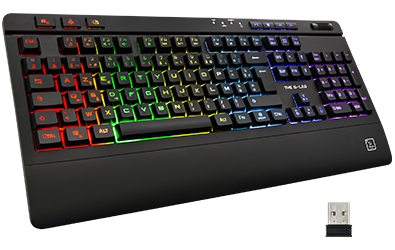
FAQ Keyz Titanium
Battery life is approx. 30 hours with backlight, and approx. 150 hours without backlight.
Full charge time is approx. 5 hours.
Charging cable included.
The combinations Fn+1,2,3,4,5 each correspond to a backlighting effect.
The fixed backlight effect corresponds to Fn+5. Press this combination repeatedly to navigate between the different colors.
- Check that the “On/Off” switch at the top of the keypad is activated
- Check that the keyboard is charged / leave it charged
- Check that the light is on by pressing the “On/off ☼” button.
- Increase lighting intensity with Fn + Page Up
- Check that the “On/Off” switch at the top of the keypad is activated
- Switch on the keyboard and insert the dongle. If this doesn’t work, remove the dongle and press ESC+K. When the keypad flashes, insert the dongle again.
- Check that the keyboard is charged / leave it charged
Press Fn+Z to swap WASD keys and arrow keys, and vice versa.
Pressing Fn+Windows activates the “Windows Lock” function, which locks the Windows key (very useful in games!). Repeat Fn+Windows to deactivate Windows Lock.
- Check that your computer is switched off and not in hibernation mode.
- Check your USB port power settings from your control panel
- In your computer’s boot bios, check the power options for your USB ports
We do not sell key sets separately, and we do not guarantee that keys purchased from a third-party vendor will be compatible. However, you can contact our customer service department for free replacement of several keys.
This product is plug and play. In other words, it has no customization software. Plug in and enjoy your purchase immediately.
- Check the packaging and the back of the keyboard, as the dongle may be located in any of these places
- Contact our customer support team, who will send you a new dongle.
Contact our customer service team, who can send you a new dongle in the event of loss (1 time).