
FAQ Keyz Tellurium
- It is possible to create a macro without software, a tutorial is available in the manual, which you can find here.
- Macros can be recorded using the software found here
The use of macros requires the software, which is only available on Windows.
They will therefore not be compatible with the console.
Fn+1,2…
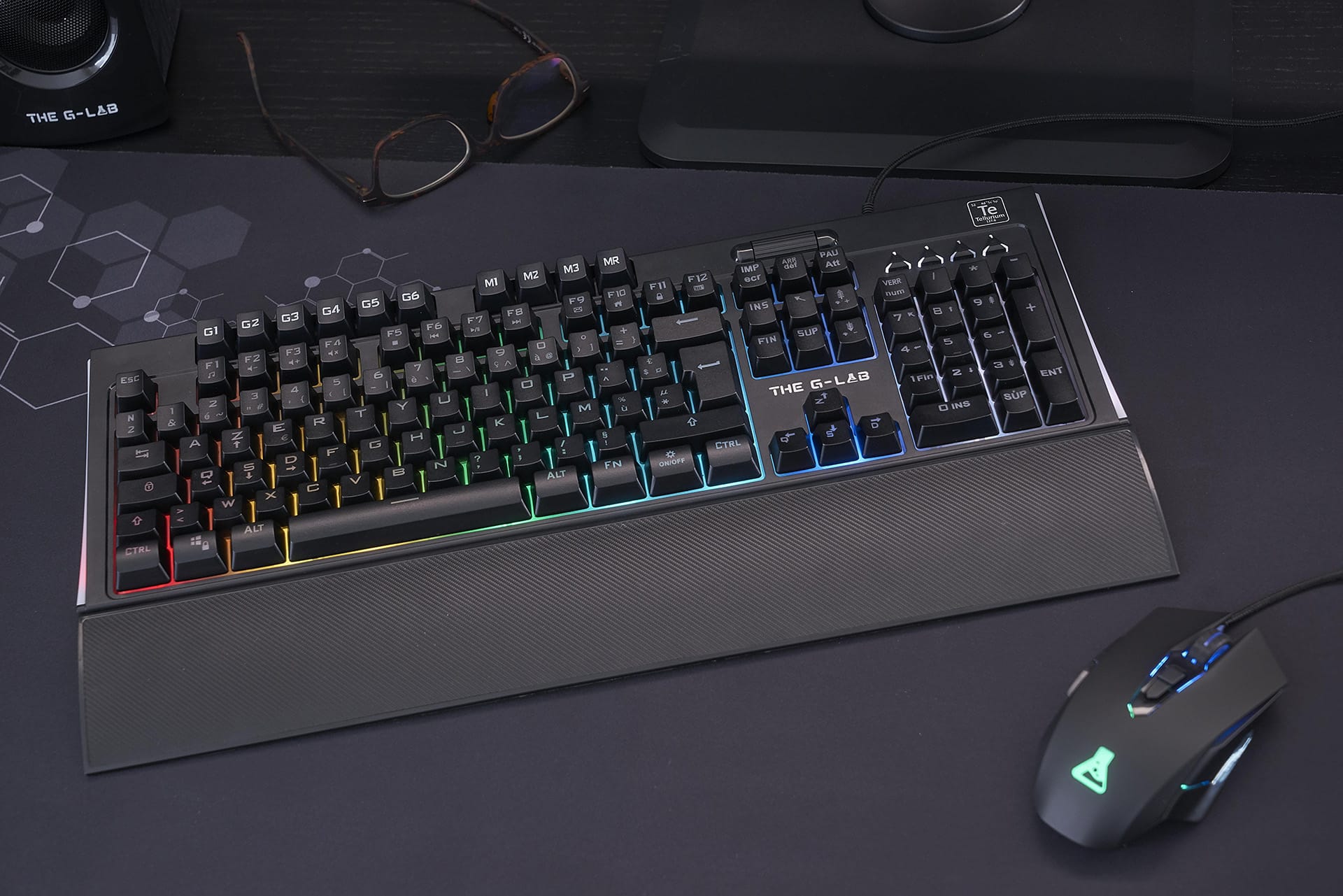
combinations of up to 8 are used to switch between different backlight effects. The backlight is also fully customizable via the software.
- The combination Fn+5 corresponds to fixed lighting.
Once this effect is activated, Fn+Arrows lets you navigate between the available colors. - The combination Fn+7 corresponds to fixed backlighting per zone.
Fn+Left/right arrows select the zone to be modified Fn+Up/Down arrows change the color of the selected zone
- Check that the light is on by pressing the “On/off ☼” button.
- Increase lighting intensity with Fn + Page Up
- Install the keyboard software via the website, and activate/deactivate the lighting via the software.
- Remove button to check membrane condition
- Try the FN + ESC combination, which will reset the keyboard and may solve your problem.
Use Fn+Z to swap WASD keys and arrow keys, and vice versa.
Pressing Fn+Windows activates the “Windows Lock” function, which locks the Windows key (very useful in games!). Repeat Fn+Windows to deactivate Windows Lock.
- Try the FN + ESC combination, which will reset the keyboard and may solve your problem.
- Check the keyboard software to make sure there is no macro causing the problem
- Reset keyboard via software
- Uninstall and reinstall the software
- Remove the problematic keys and check the condition of the membrane under the keys.
- Check that your computer is switched off and not in hibernation mode.
- Check your USB port power settings from your control panel
- In your computer’s boot bios, check the power options for your USB ports
We do not sell key sets separately, and we do not guarantee that keys purchased from a third-party vendor will be compatible. You can contact our customer service department for free replacement of several keys.
The software available for download on our site is in zip format. To unzip them and start installation, you can use Winrar, available free on the Internet.


